
Timepie: Visual Routine Timer
See time passing. No ads, ever.


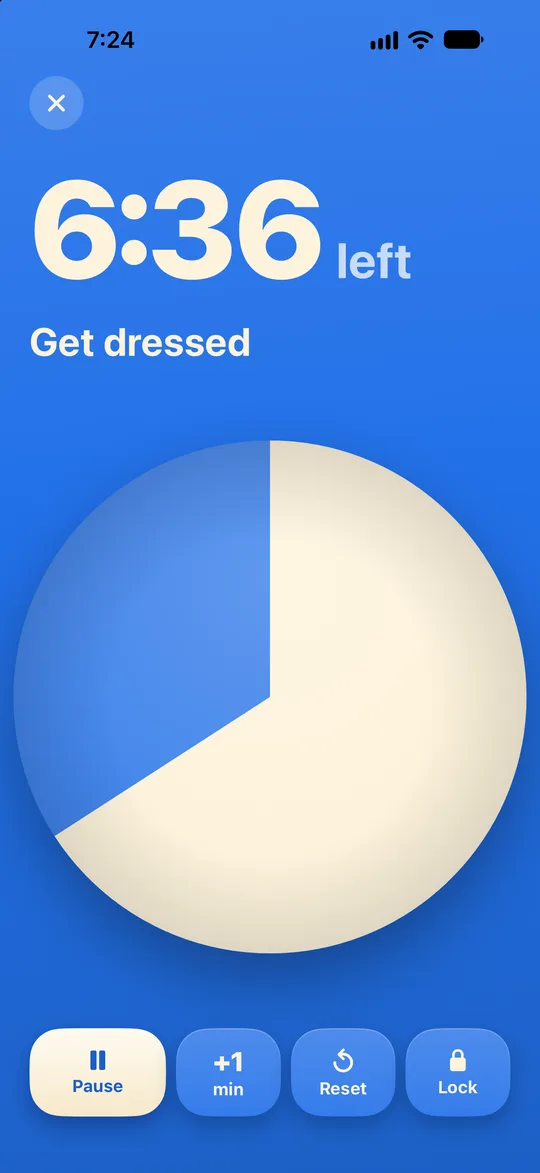

A timer you can read from across the room
A colored disc shrinks as time runs out, so anyone in the room can see how much is left without reading numbers. Big type, and nothing else moves.
Routines that keep the morning moving
Morning, bedtime, clean up. Each step has its own photo and length, and Timepie tells you if you are on track to finish by a set time.
It rings, every time
Alarms go off when time is up, even if the app is closed, the phone is locked or on silent. Time left shows on the Lock Screen and in the Dynamic Island.
Lock it. No surprises.
One tap locks the timer so nobody can change it mid-session. Hold for two seconds to unlock. Timepie also shows you how to set up Guided Access.
Private by design
Everything stays on your iPhone, and Timepie works offline.
Free and Pro
Questions
Is Pro a subscription?+
No. Pro is a one-time purchase of $6.99. Buy it once and keep it.
Will it ring if my phone is on silent?+
Yes. Timepie uses iOS alarms, which ring when the phone is locked or on silent, and when the app is closed. Allow alarms the first time you start a timer.
Do I need an account or internet?+
No. There is no account, and Timepie works fully offline.
What is in the free version?+
Every timer feature, alarms, the screen lock, and 3 routines of up to 6 steps each.
Can I use it on iPad too?+
Yes. With Pro, your routines sync across iPhone and iPad through your own iCloud.
Timepie by Sang Huynh Xuan